
Order, dispatch, track,
prove and get paid.
Every screen in Numus belongs to one of five steps. They are listed here in the order a job moves through them.
Order
Taking the order. Every way an order can reach you, arriving in the same queue.
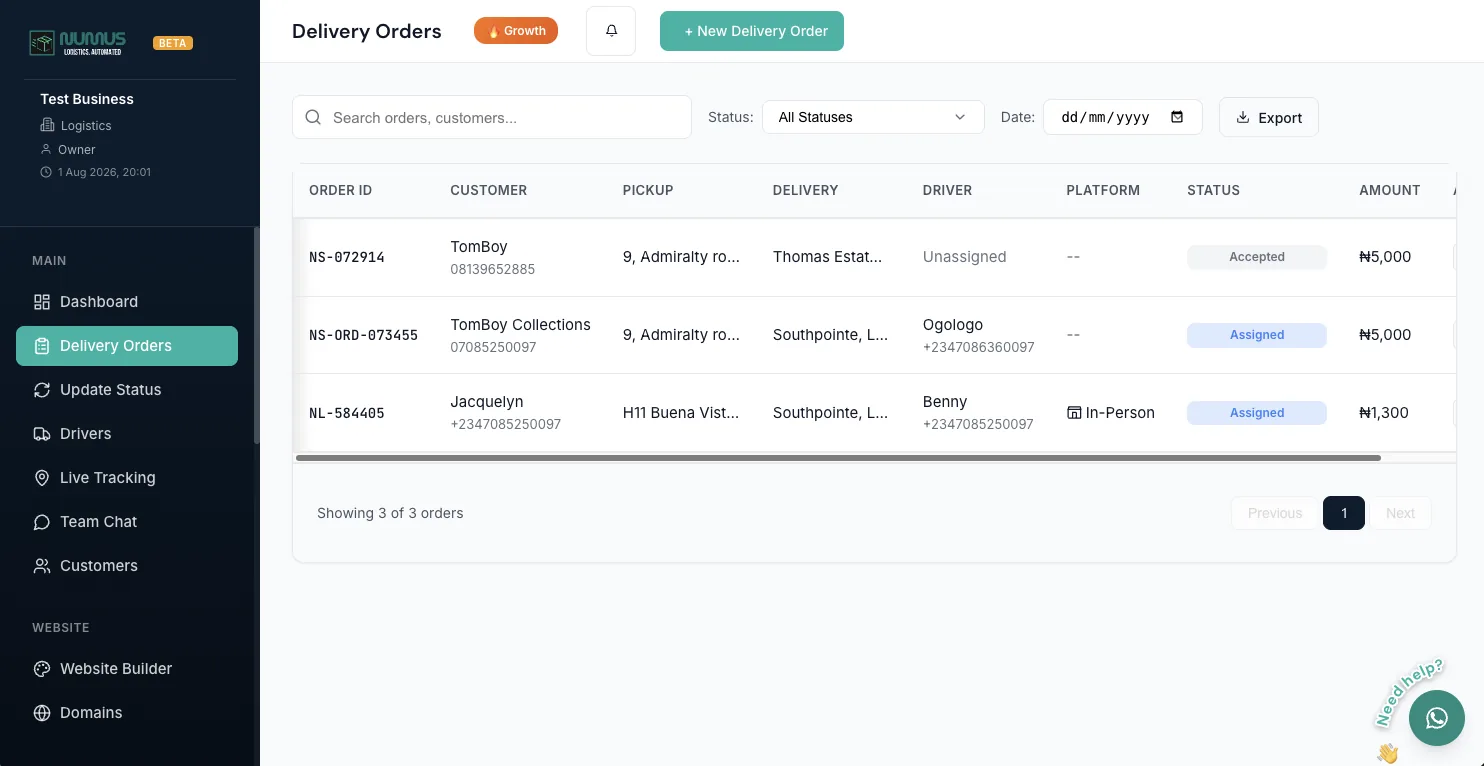
One queue for every order
Your ordering site, a phone call your team types in and a walk-in at the counter all land in the same list, sorted, filterable and ready to dispatch. Creating one by hand takes under a minute. Pick the customer, set the pickup and drop-off, and the fee is calculated from your pricing zones.
- Filter by status in one tap; search any order, any date
- Auto-calculated delivery fee from your own zones
- Every channel in one queue, nothing in a separate inbox
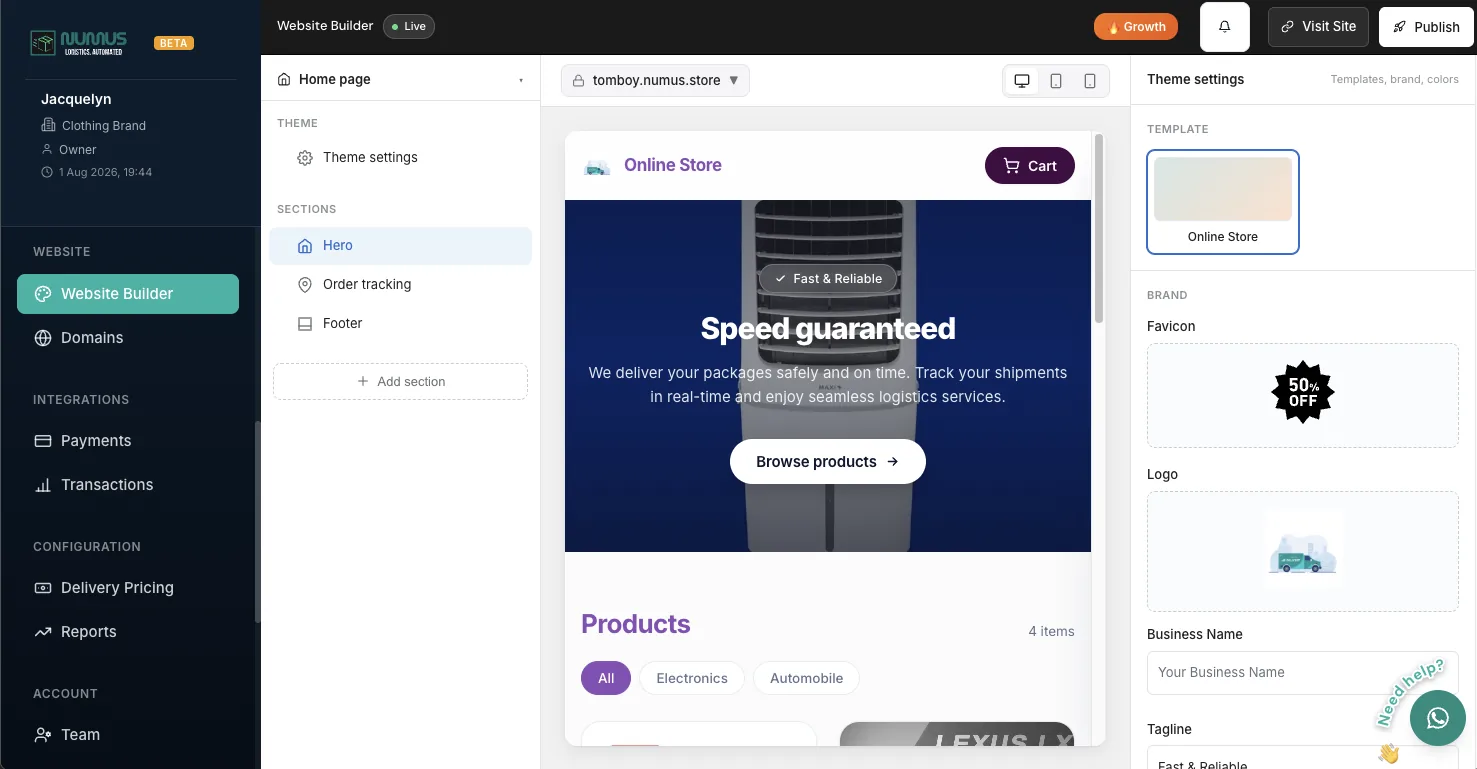
A branded ordering site, published
Pick one of four templates (Standard, Futuristic, Modern Gen-Z or Corporate), set your logo and colours, and publish. It goes live immediately at yourbusiness.numuslogistics.com, and from the Growth plan you can point your own domain at it with full white-label branding, served over Cloudflare's global CDN. Orders placed there drop straight into your queue.
- Live on a free Numus subdomain the day you sign up
- Bring your own domain from Growth, on a global CDN
- Turn 'Powered by Numus' off entirely
Ordering over WhatsApp Coming soon
This one is in development and is not part of Numus today. The plan is to let you connect a WhatsApp Business number so a customer can place an order in the chat they already use, on the official Meta WhatsApp Business API. Everything else on this page works now; this is the only item that does not, and we would rather say so than let you sign up expecting it.
- In development, with no date announced yet
- Today: customers order on your branded site, or your staff key it in
- We will announce it here when it ships
Quote the job before you take it
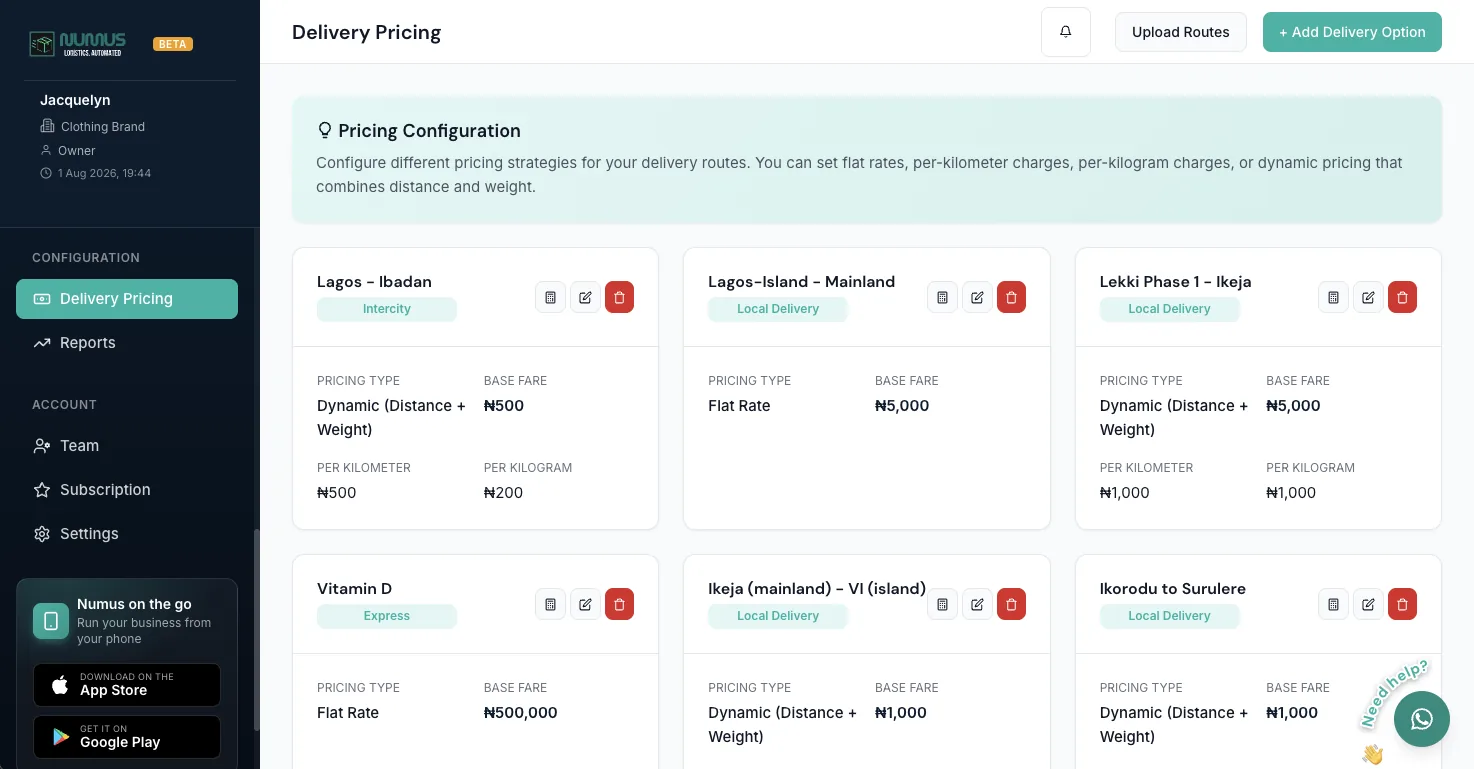
Define your zones once and every booking is priced from the pickup and the drop-off, both on your booking site and when your own team keys one in. You can still override the fee on any individual job when a client has a rate of their own.
- Zone-based pricing that quotes the customer instantly
- Per-job override for negotiated client rates
- The same price wherever the booking came from
Dispatch
Sending a driver. Who is free, who takes the job, and what they need before they leave.
Assign a rider, and they know
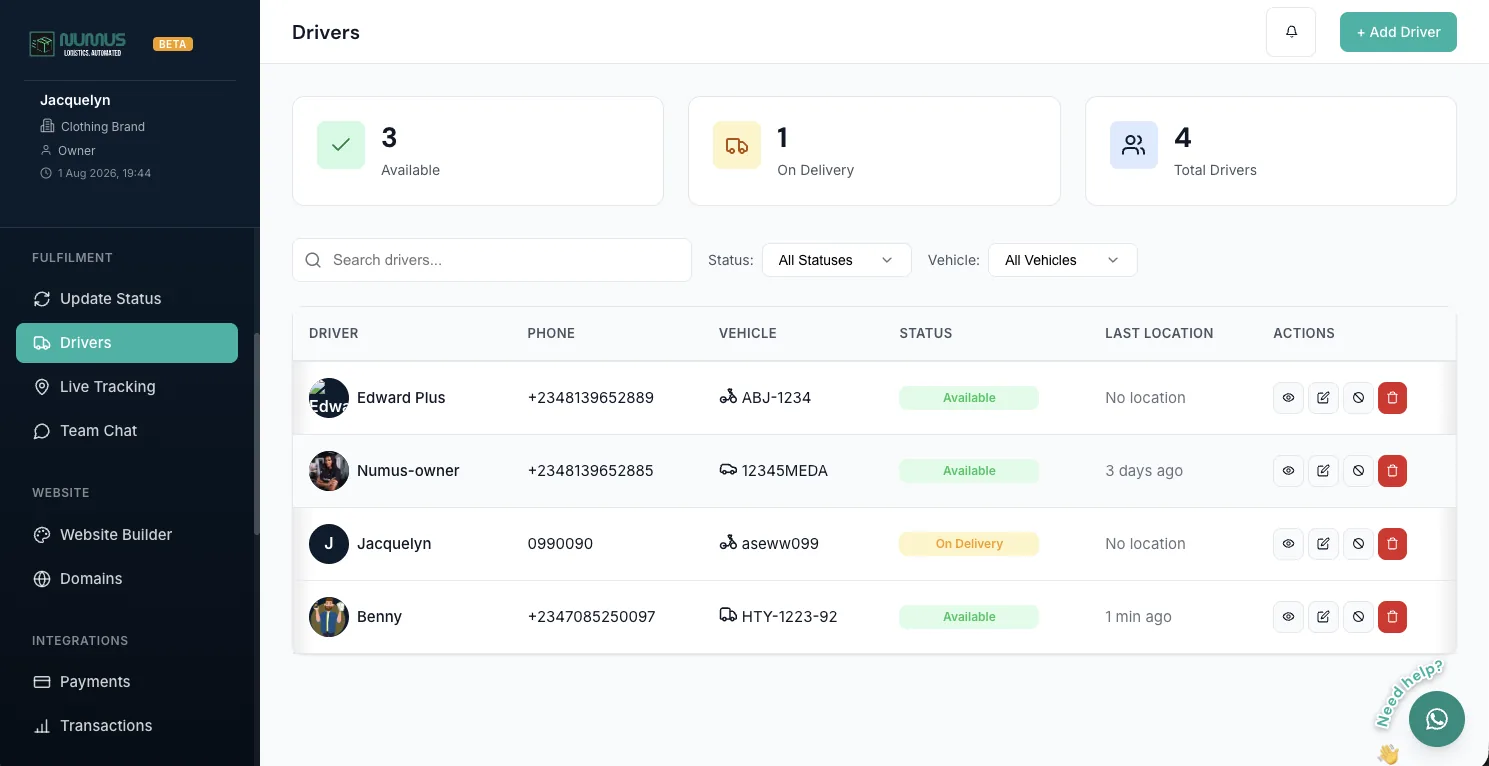
The roster shows who is online, who is mid-delivery and who is free, so you assign on fact rather than guesswork. The job lands on their phone with the route, the customer's details and the amount to collect, and taps straight through into Google or Apple Maps. Reassigning takes a tap rather than a phone call.
- See who's free before you commit the job
- Navigation opens in the maps app they already use
- Reassign without calling anyone
More than one person can run this
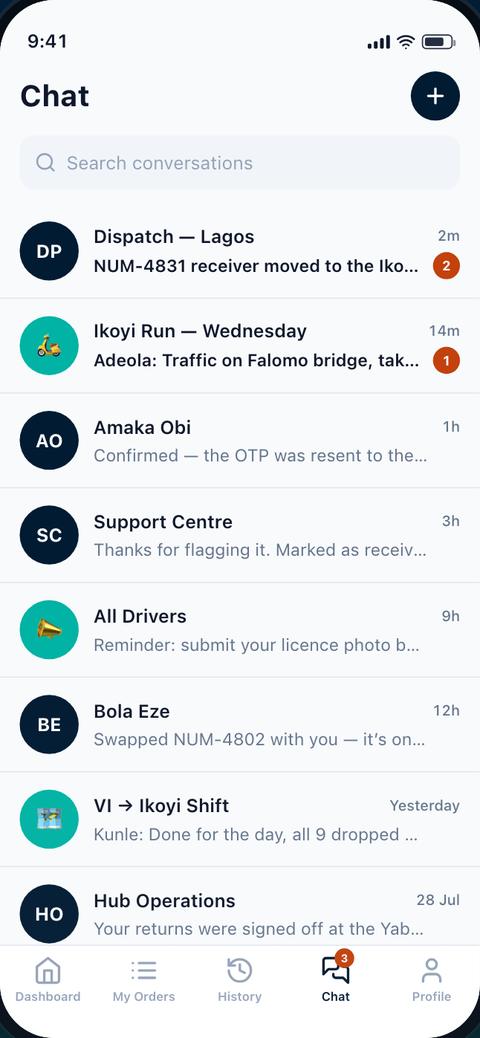
Invite managers and staff by email with their own logins and roles, so you are not sharing one password. Activity is logged against whoever did it. There is an in-app team chat as well, putting dispatchers and riders in one thread with push notifications, instead of a personal WhatsApp group nobody can search later.
- Admin and manager roles, invited by email
- Activity logging, so you know who changed what
- Team chat with push notifications and message history
Track
Following it. A live map for you and a tracking link for your customer.
Watch it move. So can your customer.
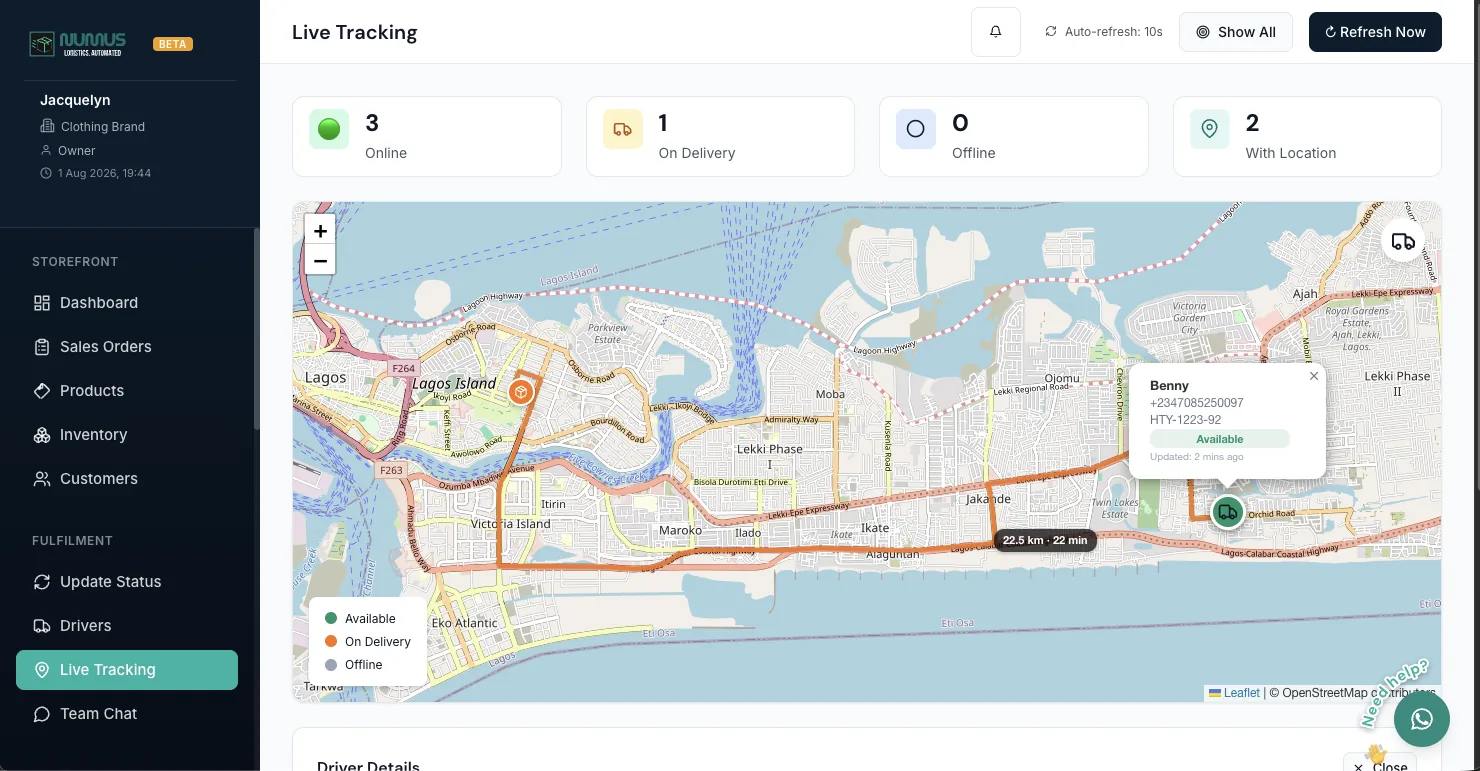
Every active rider sits on one map, refreshed every ten seconds. It runs on OpenStreetMap rather than Google Maps, so there is no per-load API fee no matter how many riders you add or how often the screen refreshes. Your customer gets a public tracking link with the rider's position and ETA, needing no login or app.
- Live map of the whole fleet, refreshed every 10 seconds
- A shareable tracking page per order, with no login for the customer
- OpenStreetMap-powered, so the map costs you nothing
Prove
Proving it arrived. A one-time code and a record that cannot be edited afterwards.
Ends the 'I never got it' call
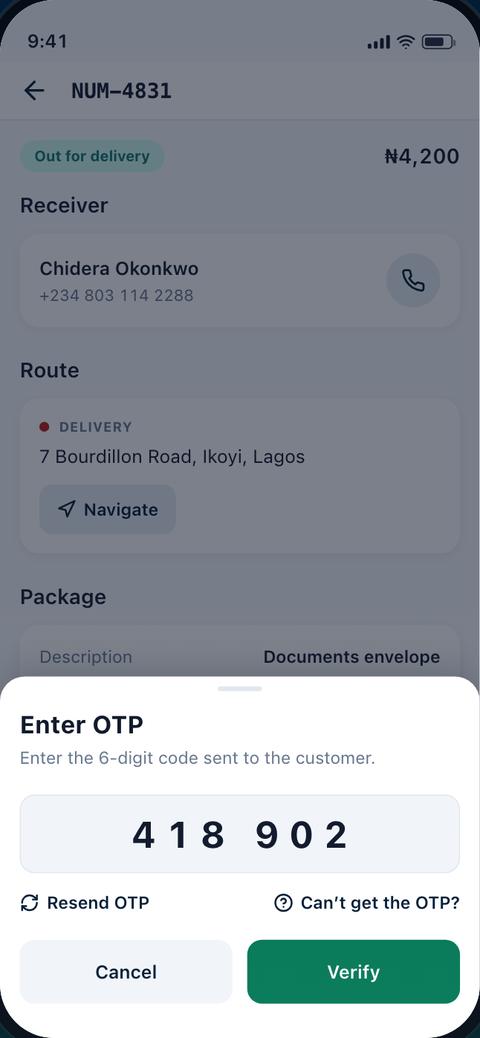
The customer reads a one-time code back to the rider. It is filed against the order permanently, on a timestamped timeline nobody can edit after the fact. On a courier run the same code is taken at pickup too, so a parcel is accounted for at both ends.
- A one-time code confirms exactly who received it
- Taken at pickup too on a courier run, so both ends are covered
- A timestamped, immutable timeline per order
Paid
Collecting the money. Card, transfer and cash, and the reports that follow.
Card, transfer or cash, all reconciled
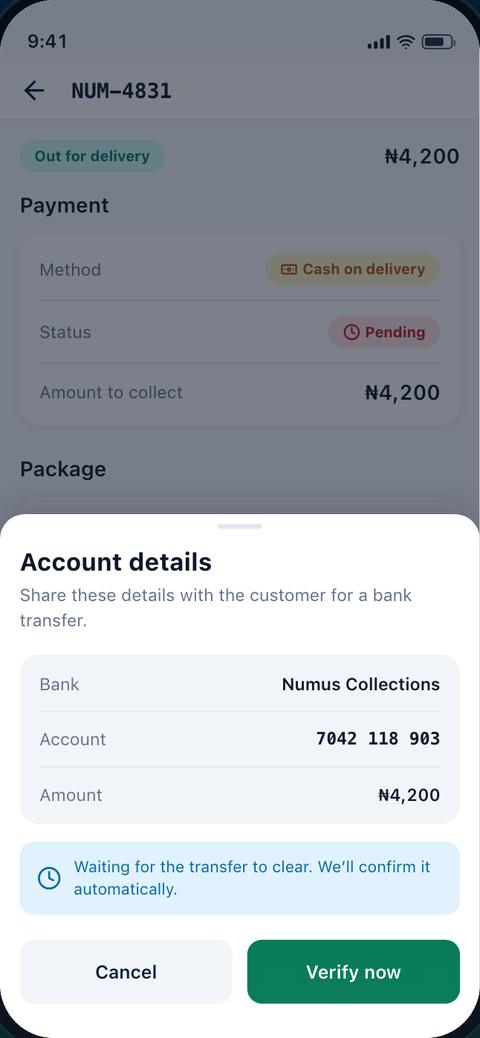
Paystack handles card, bank transfer, USSD and mobile money, settled straight into your account. Cash on delivery is treated as a proper payment method rather than a workaround. Riders mark cash collected in the app, every naira is logged against that rider and that order, and you get a daily COD report and a place to flag a dispute.
- Paystack for card, transfer, USSD and mobile money
- Cash marked collected in the app, reconciled automatically
- Daily COD reports and end-of-day totals per rider
Money in, deliveries out
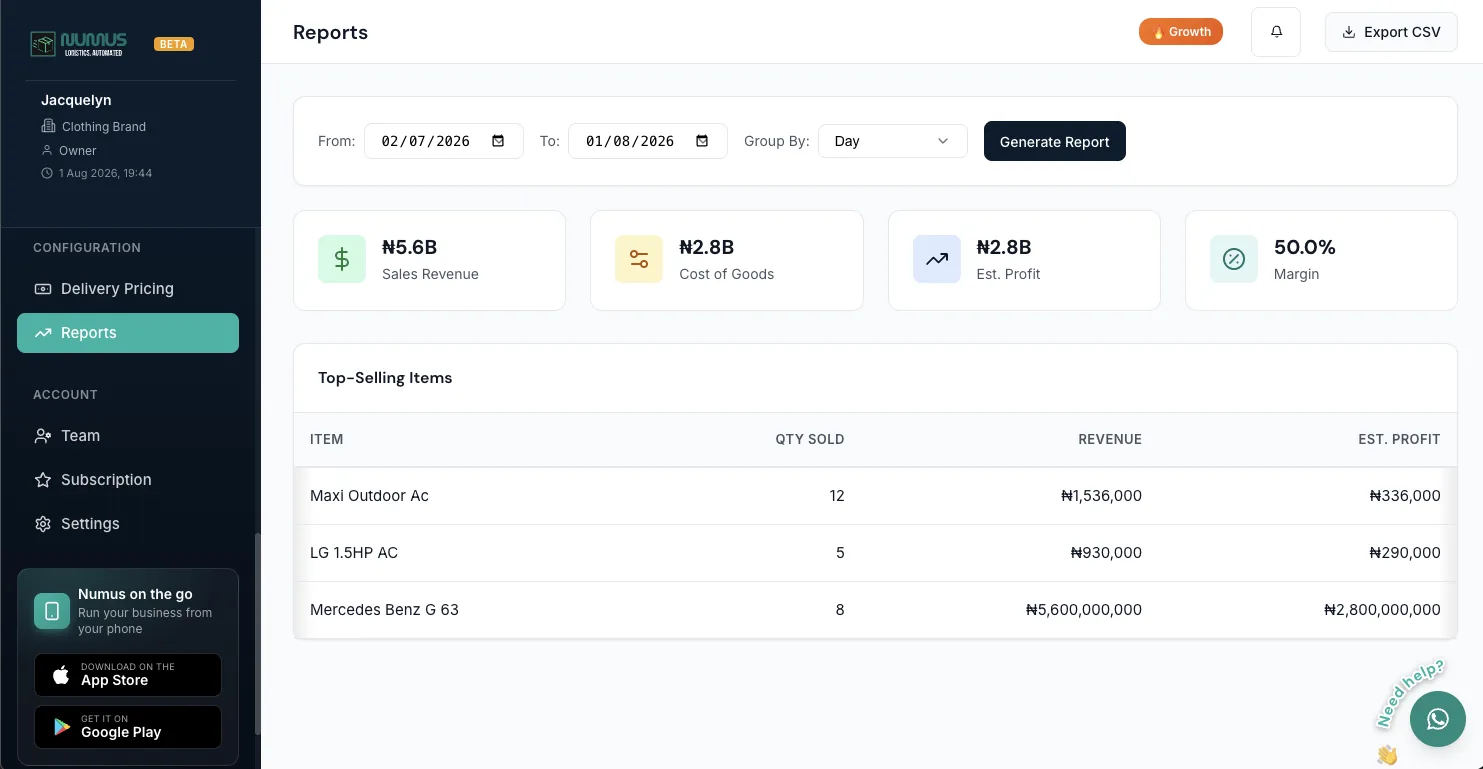
Revenue, completed orders, cancellations, delivery success rate, average delivery time and per-driver performance, over 7, 30 or 90 days or any period you pick. Export it to PDF for your accountant, your investor, or the client asking why last month looked the way it did.
- 7, 30 or 90-day views, or any range you choose
- Performance per driver: completion rate and average time
- PDF export of revenue statements and activity logs
Both apps, free
You run the business from the Business Suite. Your riders work from Numus Driver.
Numus Business Suite
Orders, riders, money and the live map, in your pocket.
Numus Driver
Jobs, navigation, OTP handover and cash collection.
Every delivery in one place.
Free to start.
Free forever plan · No credit card · Cancel any time